Routine builder
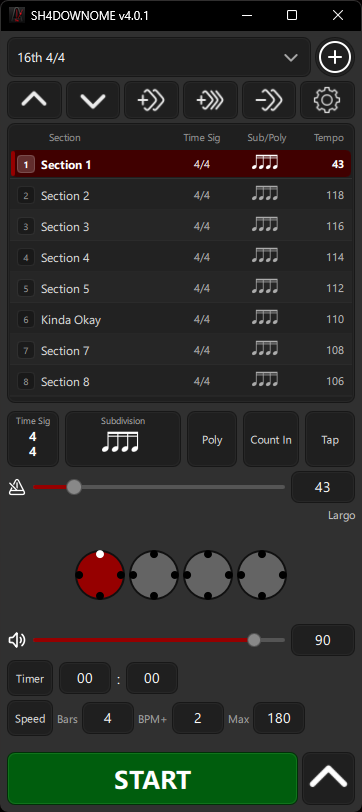
Create a piece, add labelled sections for the parts you are working on, reorder them, rename them, or bulk-create tempo ramps.
 SH4DOWNOME
Windows & Android
Create a piece for the music or exercise you are working on, add sections for each part, then save the tempo, time signature, subdivision, accents, or polyrhythm for each section.
What it does
Create a piece, add labelled sections for the parts you are working on, reorder them, rename them, or bulk-create tempo ramps.
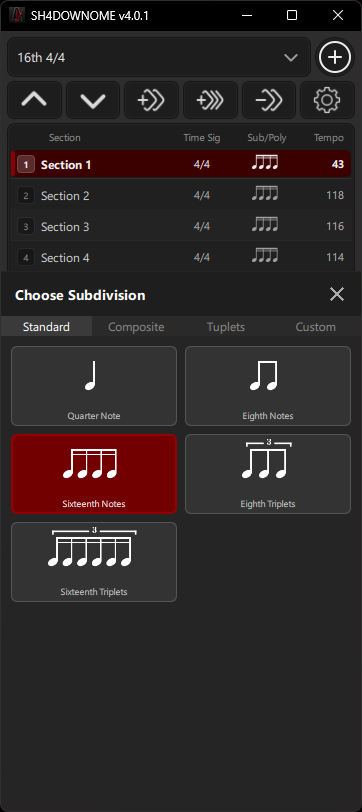
Pick standard, compound, mixed, and tuplet patterns including triplets, quintuplets, septuplets, dotted values, and rests.
Build reusable subdivisions with notes, rests, accents, dotted notes, and custom pulse groupings.
Set ratios like 3:2, 5:4, or 7:4, choose per-beat or per-bar scope, and see the relationship while it plays.
Use tap tempo, count-in, countdown timer, and speed trainer with bars-per-step, BPM step, and maximum tempo controls.
Follow beat circles, subdivision pulses, polyrhythm grids, timer remaining, and detachable Beat Window styles.
Setup
SH4DOWNOME saves pieces, custom subdivisions, sound choices, visual preferences, and Beat Window settings between sessions.
Screenshots
Main practice view with section list, tempo, subdivision, timer, speed trainer, and live beat display.
Click the large screenshot to open it full-size.Download
Windows and Android builds are available from the releases page. Pick the package that matches your device, then report anything broken or awkward on GitHub.